⚙️ Customization

Connecting Your Alpaca and MachineTrader Accounts

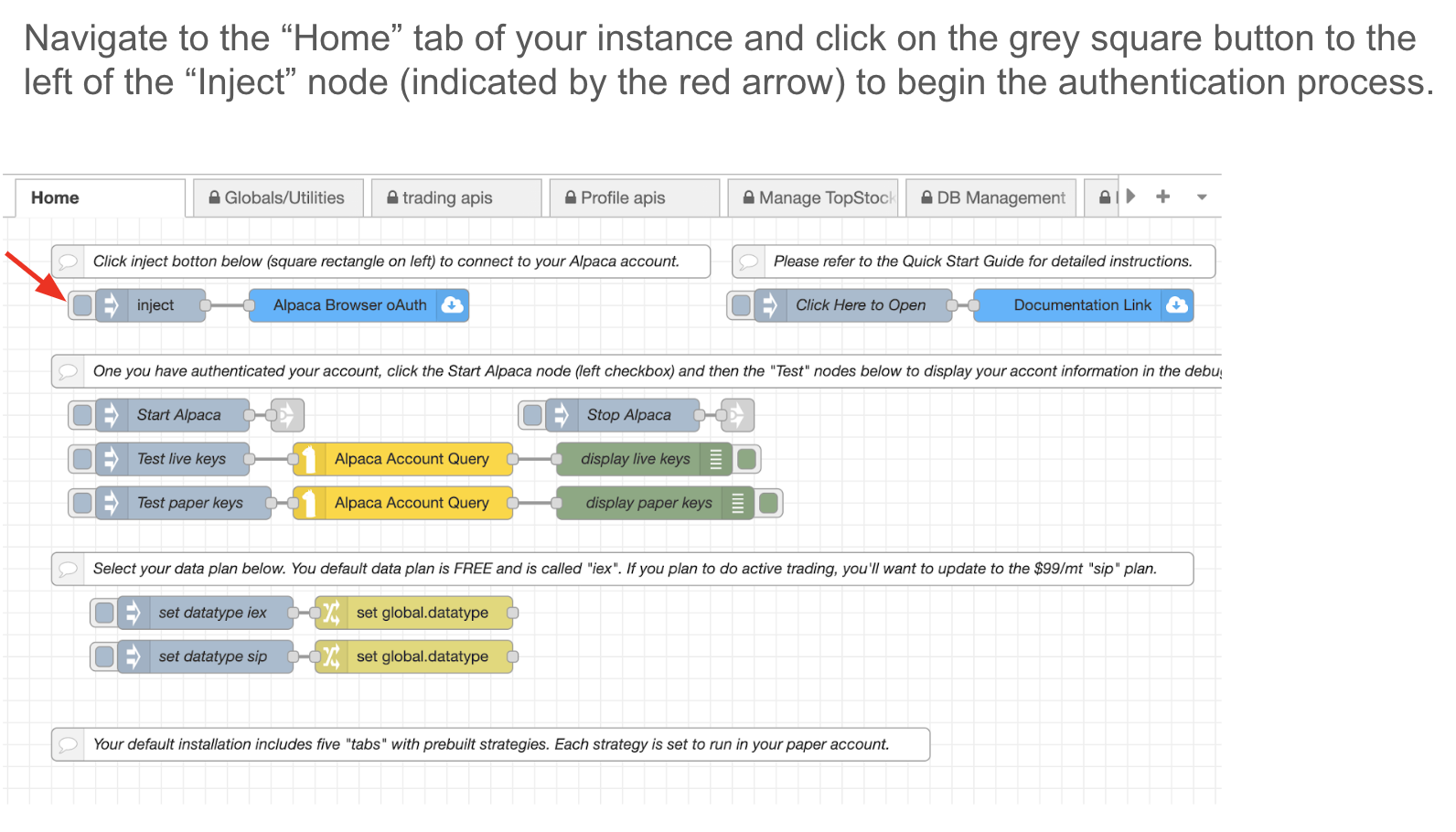
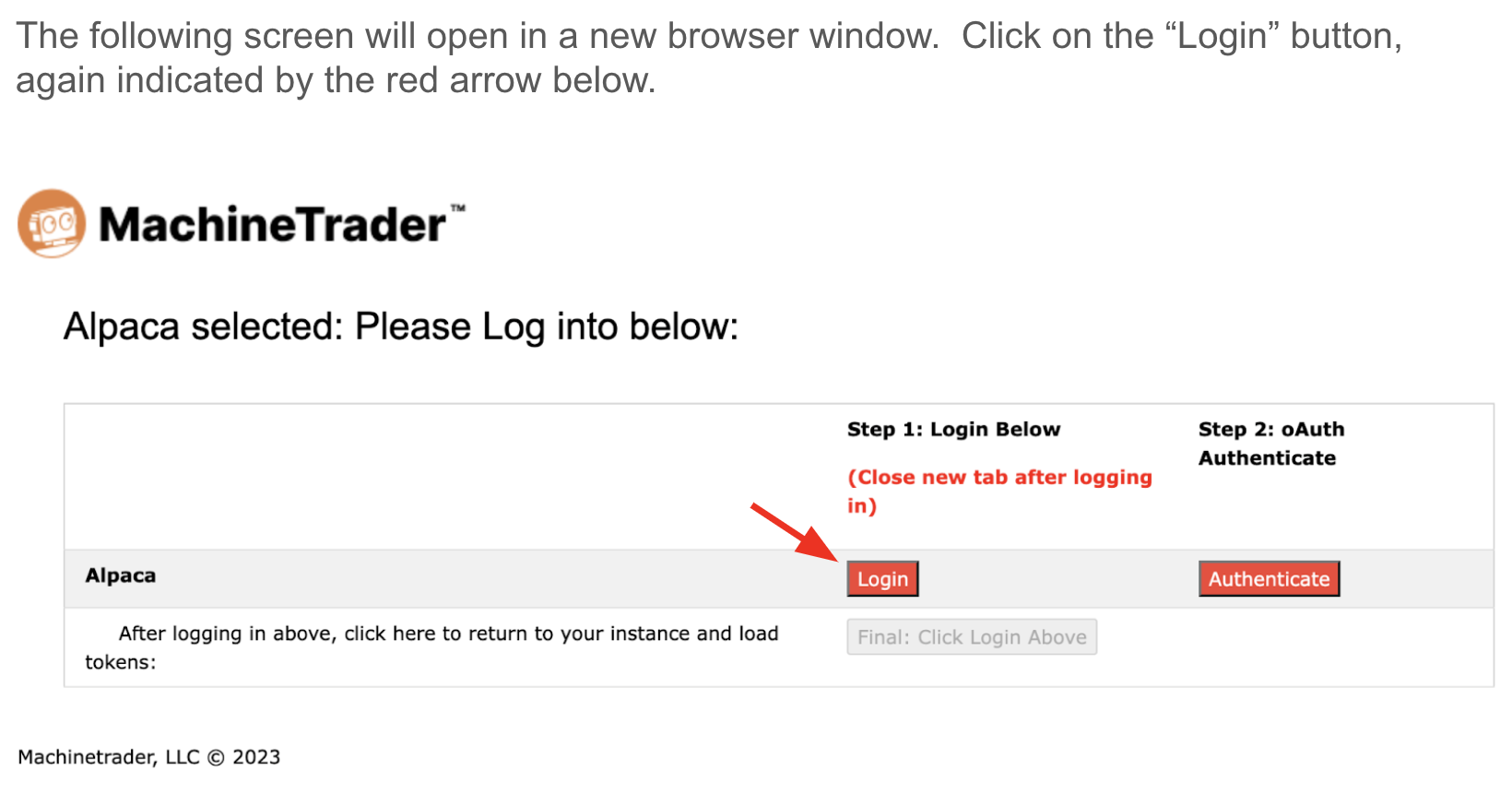
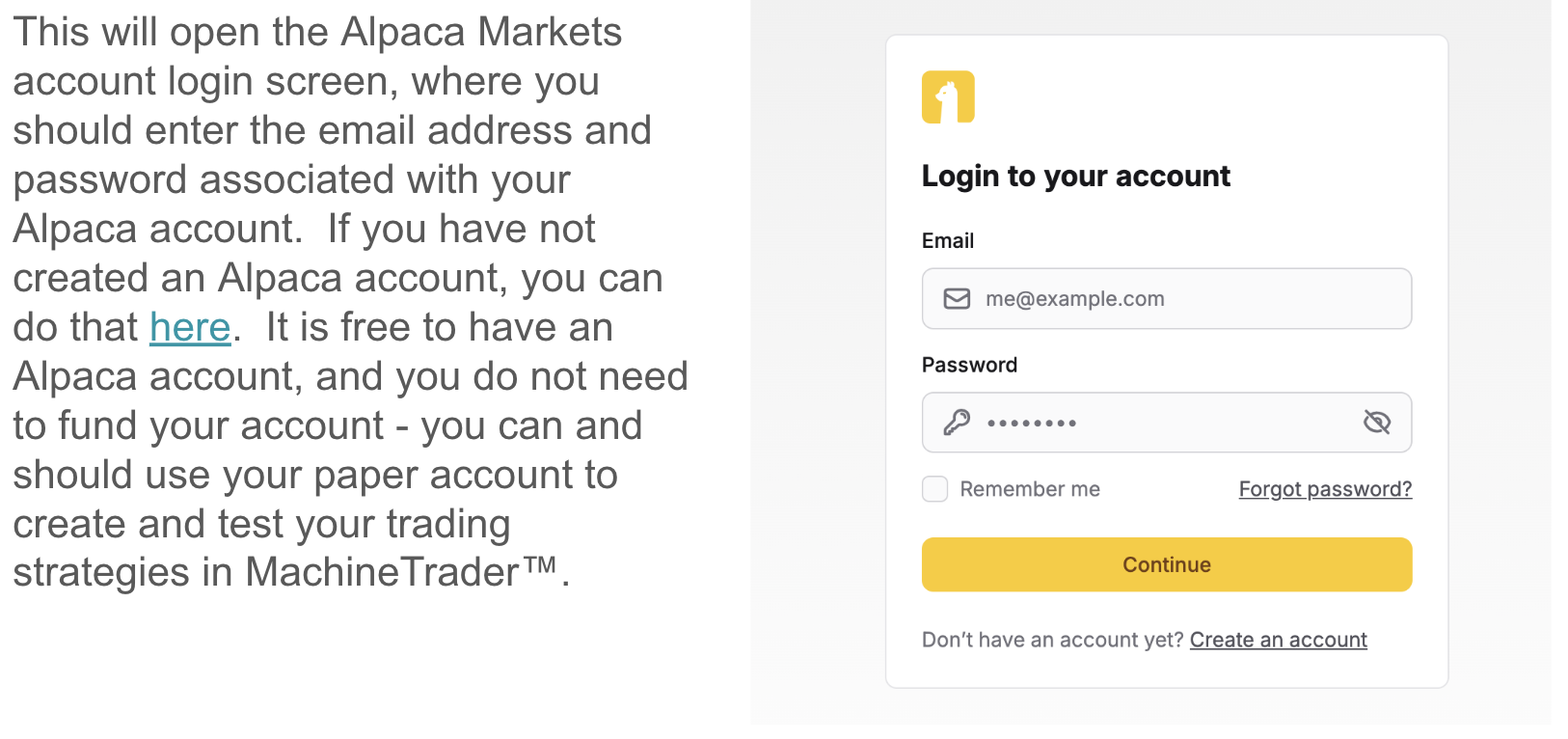
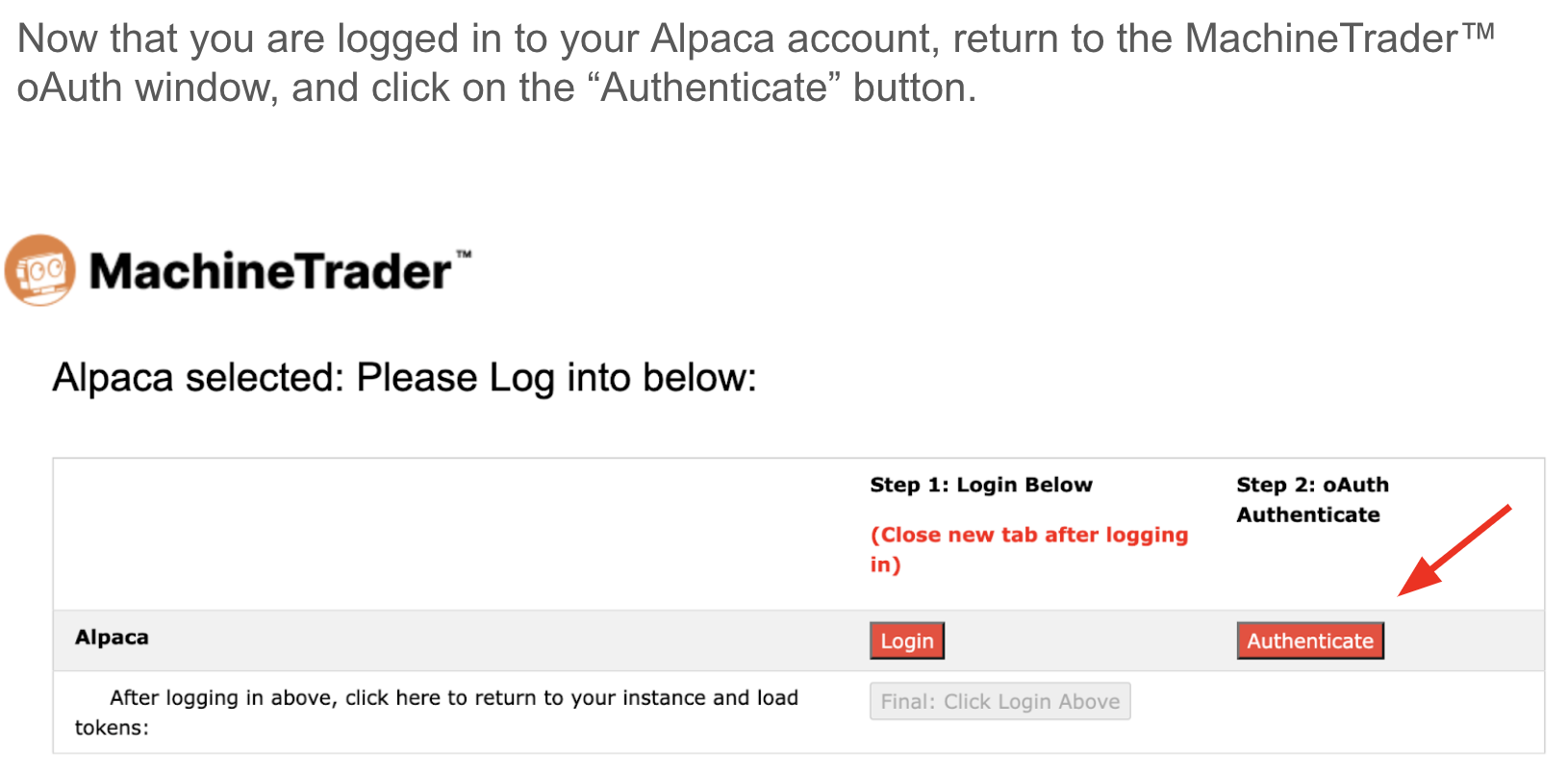
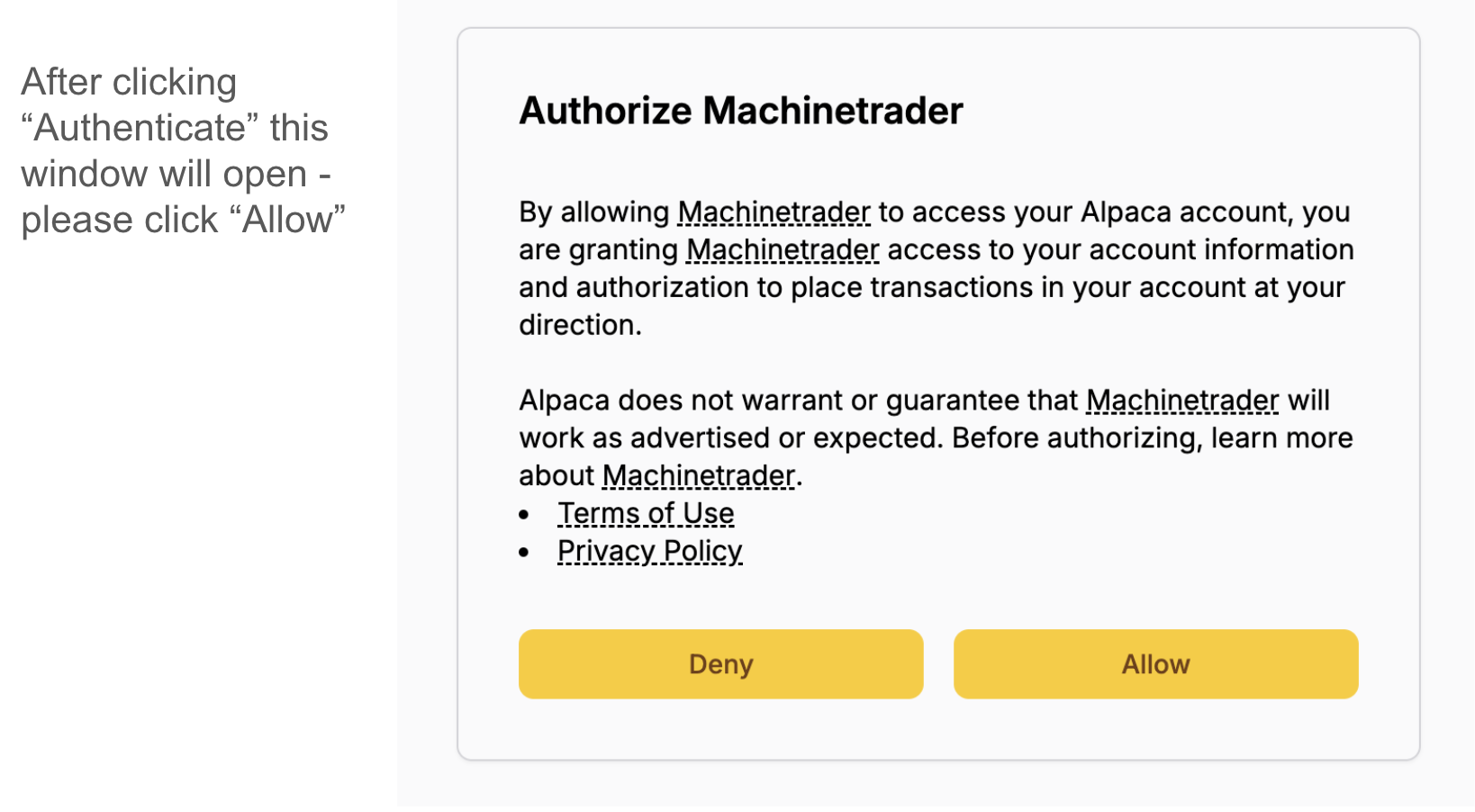
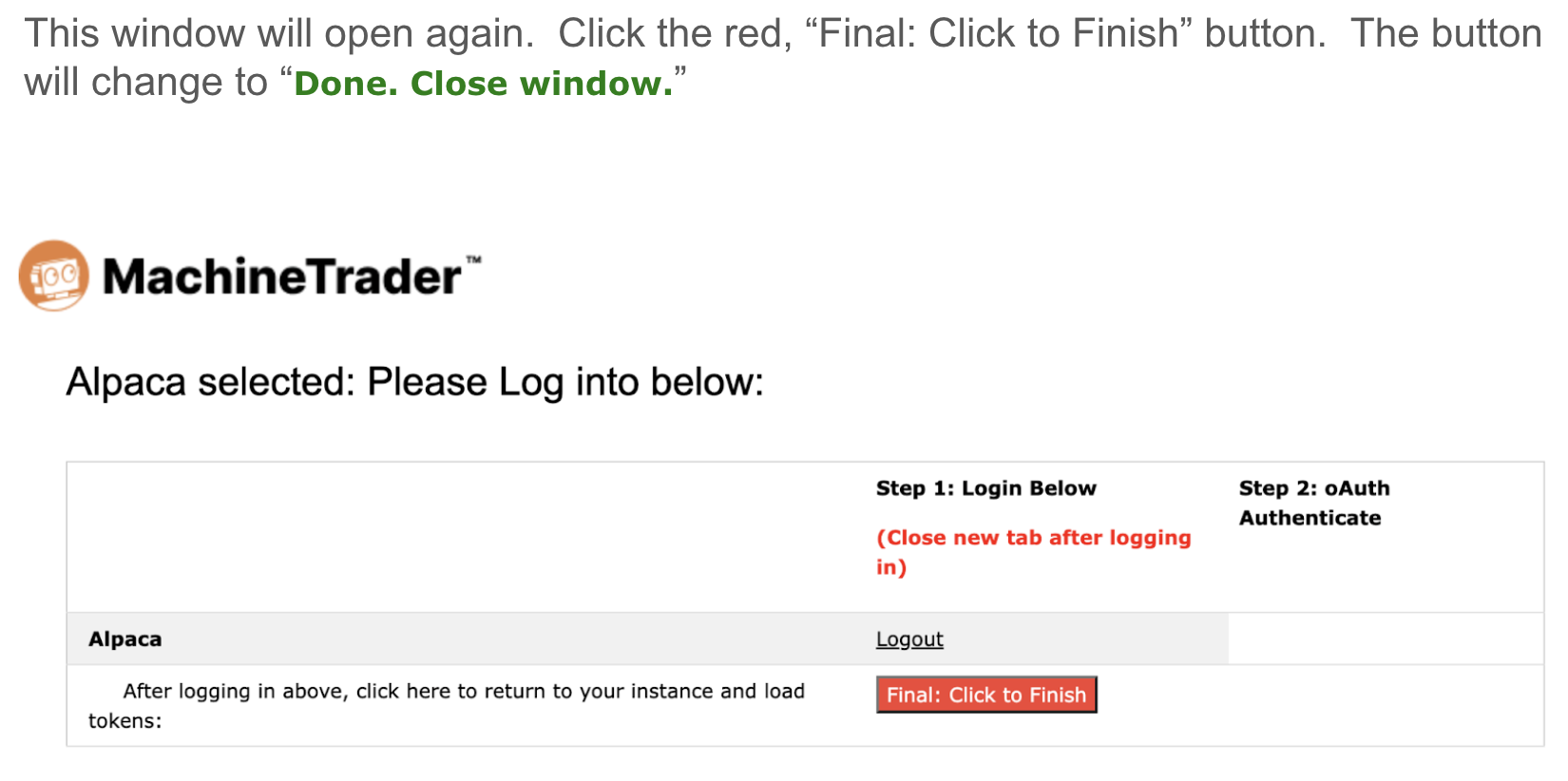
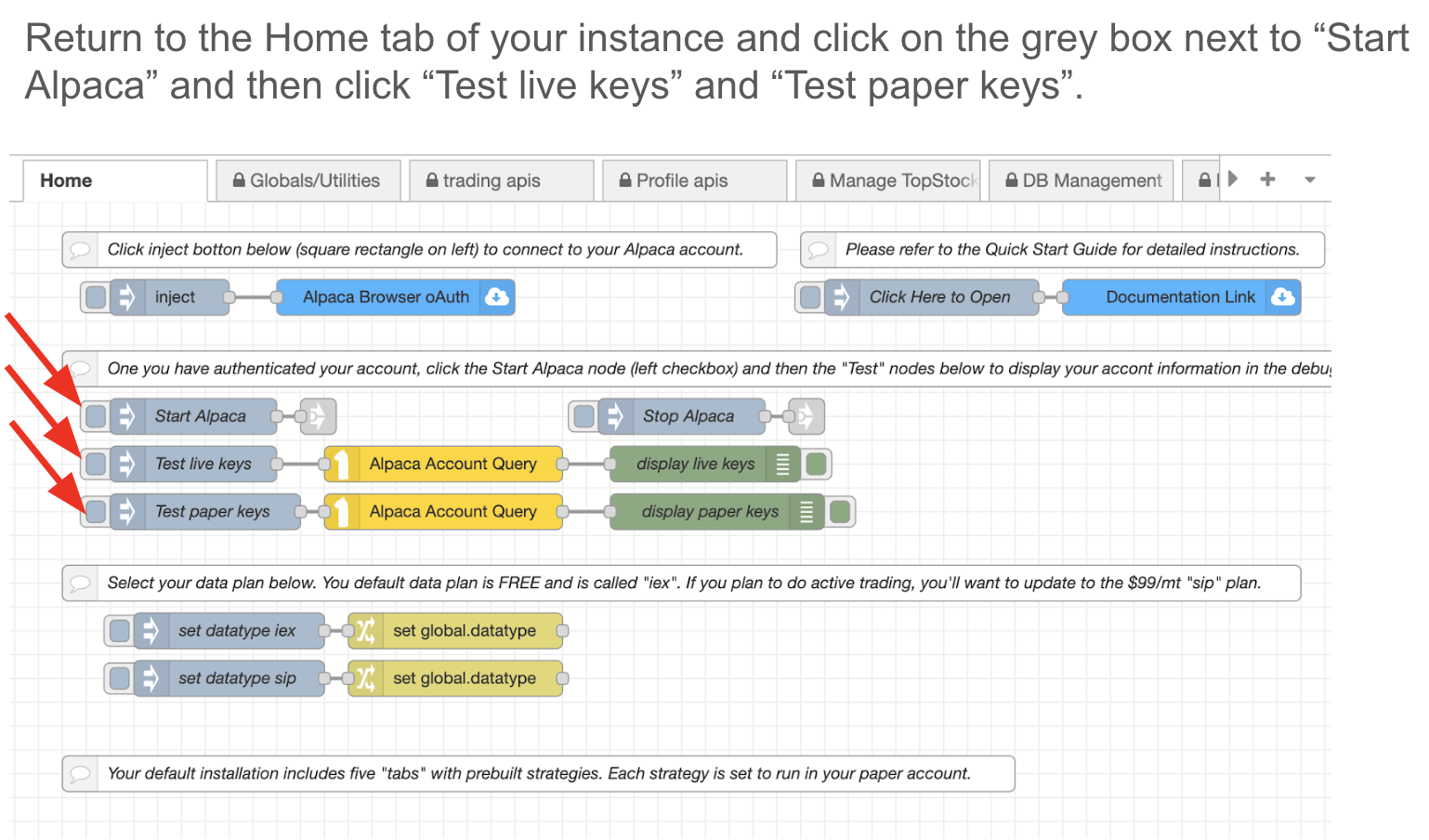
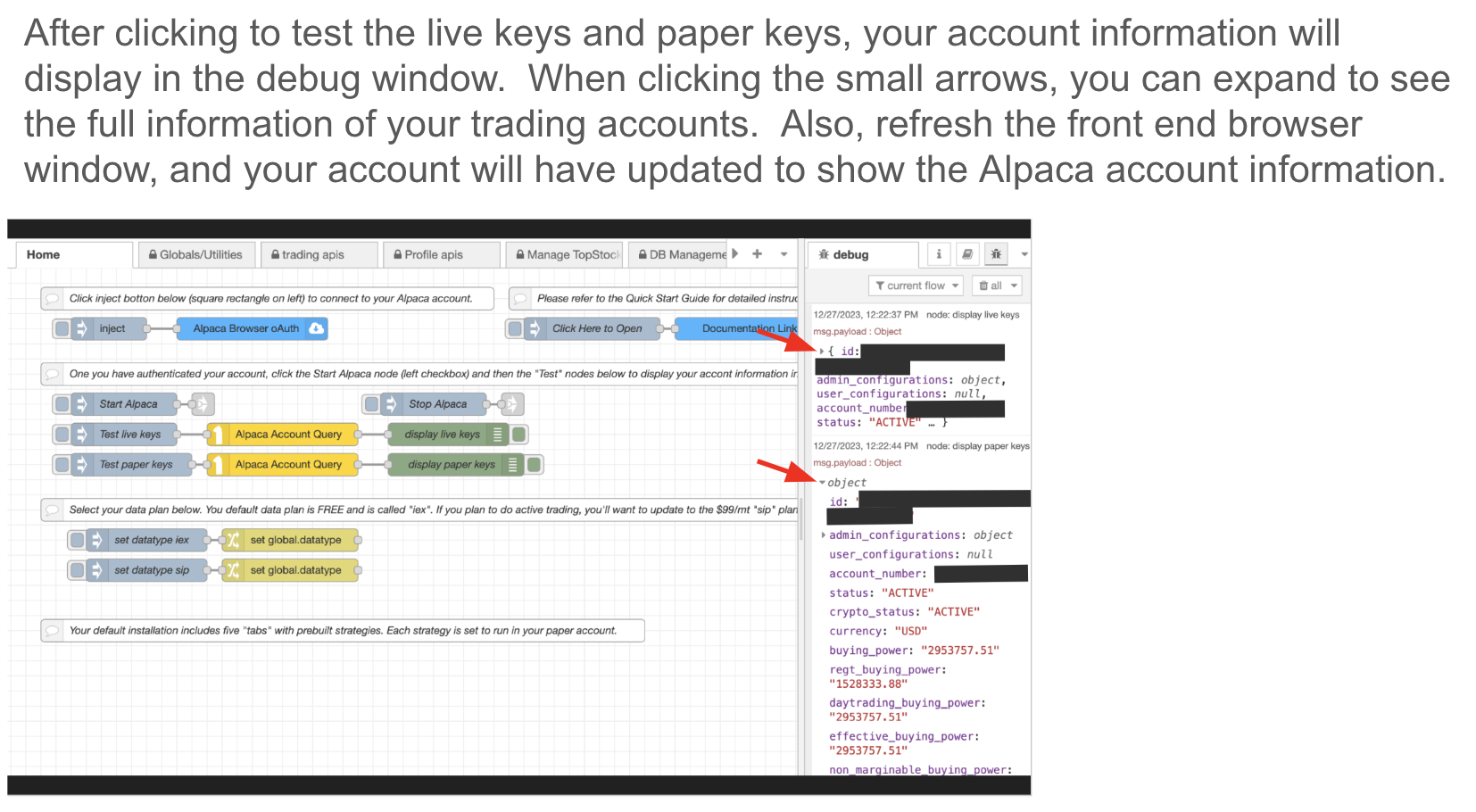
Once you sign up for a MachineTrader trading account, you will receive access to your own "instance" on AWS Cloud. After you log in to your account, navigate to the "Home Page" in order to authorize your Alpaca account.

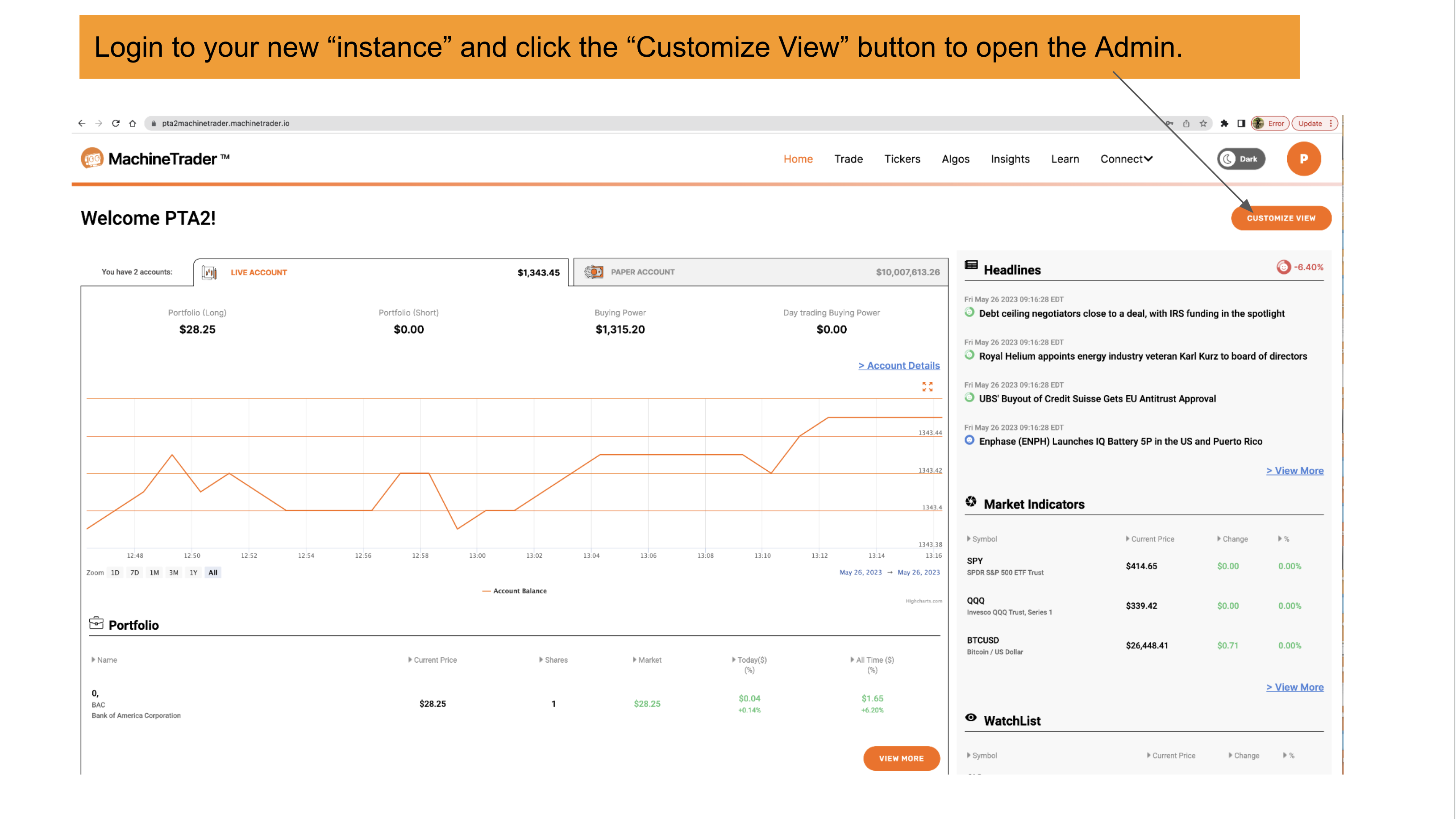
Step 1: Log in to your new "instance" and click the "Admin" button on the upper right corner to access the "Admin" of your instance, also what we refer to as the "back end."
64733F35038Ebc884E442108 Screenshot%202023 05 28%20At%207.44.52%20Am

Step 2:

65Acb02869C2257A1Dd73A3A Screenshot%202024 01 21%20At%208.39.12%20Am

Step 3:

65Acb048Fe72C2B6938D2Ec6 Screenshot%202024 01 21%20At%208.39.23%20Am

Step 4:

65Acb05F244C6F343F469451 Screenshot%202024 01 21%20At%208.39.33%20Am

Step 5:

65Acb077B9Eea4Cecbe85F2B Screenshot%202024 01 21%20At%208.39.43%20Am

Step 6:

65Acb08Cf67A2Fa56Ef16E68 Screenshot%202024 01 21%20At%208.39.56%20Am

Step 7:

65Acb09Bc19Cc82966B3Ee9E Screenshot%202024 01 21%20At%208.40.06%20Am

Step 8:

65Acb0A8443Aede538146Ec4 Screenshot%202024 01 21%20At%208.40.14%20Am

Step 9:

65Acb0B826Cb9720Be5Daa75 Screenshot%202024 01 21%20At%208.40.27%20Am

Step 10:

65Acb0Ce443Aede538147C66 Screenshot%202024 01 21%20At%208.40.44%20Am

Ready to Start Trading?

Put what you've learned into practice with MachineTrader's low-code platform.

Start Free Trial