One of the most useful things you will need to do in order to use your MachineTrader instance is importing flows from MachineTrader-Community in Github. https://github.com/predictivetechnologysystems/MachineTrader-Community
From those JSON files, you’ll be able to set up your account properly, customize your MachineTrader with the tickers most beneficial for your trading, import algo strategy templates, create portfolios, etc.
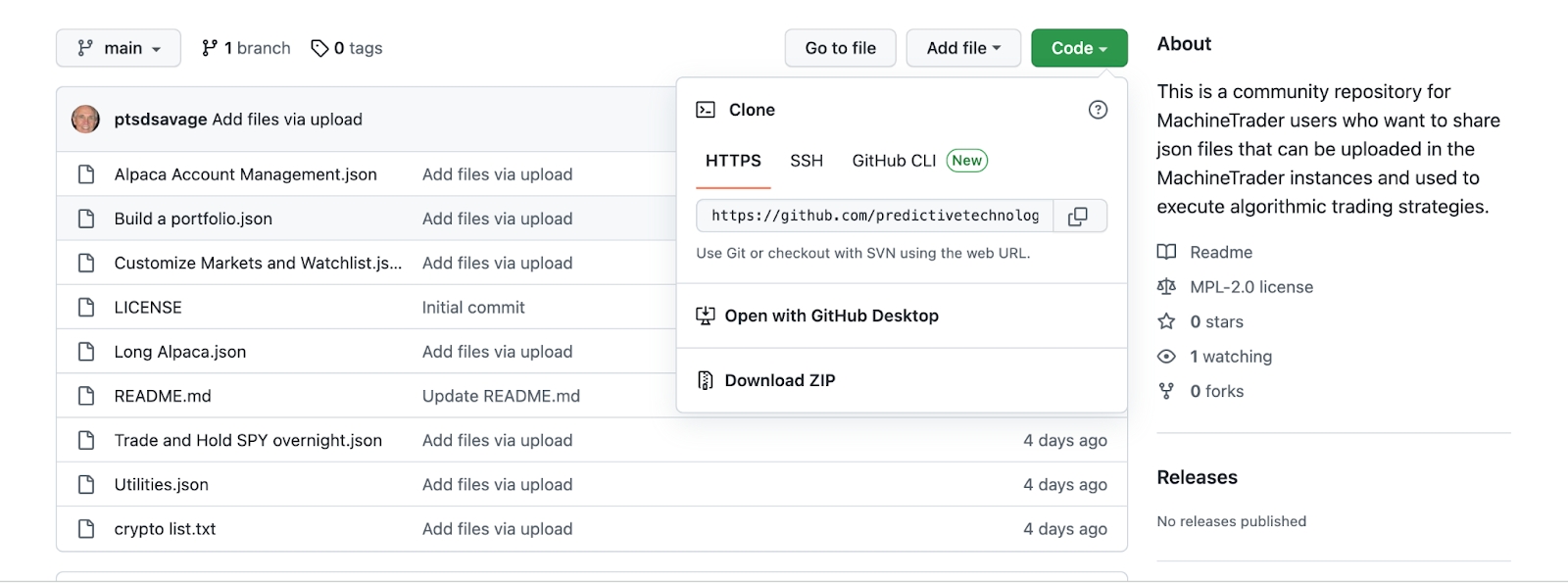
To start, click “Code” and “Download ZIP.” Download these files, and either leave them in your Downloads folder, or create your own folder for them.
Once they’ve been saved, go back to the Admin (back end) of your instance, and click on the “hamburger” (the icon with 3 horizontal lines) on the top right of the screen.
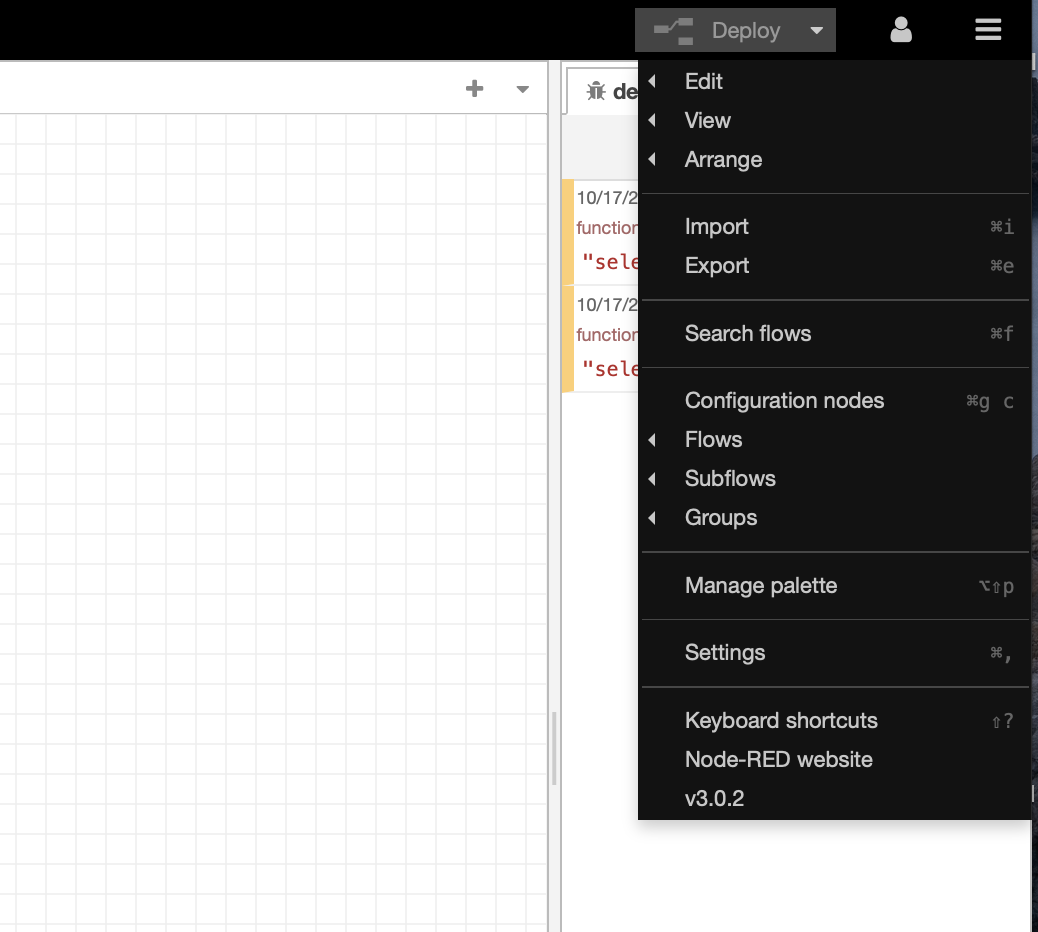
Click “Import” and the pink window below will open.
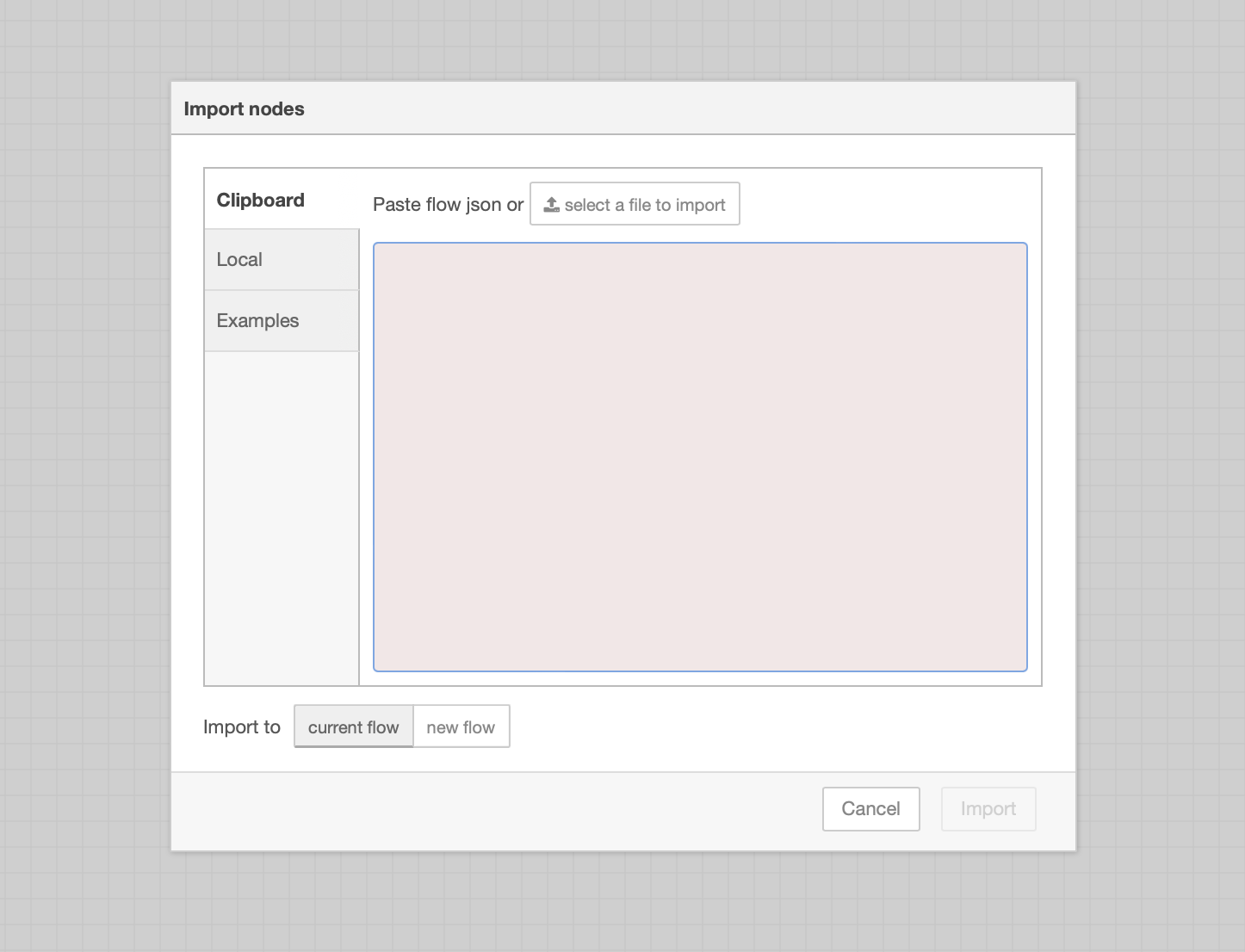
Click “Select a file to import”, choose the file, and again, click “Import”
From there, the new tab should be visible in your instance.