
Node-RED is even easier to use with the latest advances in AI models. In this example, we will use the free version of Gemini to create a Node-RED Flow. Note that the prompt refers to the Alpaca API keys that were stored in your instance when you activated your Alpaca paper account.
Navigate to gemini.google.com and enter the following prompt:
"Write a flow in NodeRed that gets the balance of my Alpaca account. Use the api keys: global.get('apiKeyPaper') global.get('apiSecretPaper')"
Gemini will return the following:
To get your Alpaca Paper account balance in Node-RED using your specific global variables, you can use a Function node to set the authentication headers followed by an HTTP Request node.
You'll need a flow consisting of three main nodes:
Paste the following code into a Function node. This code retrieves your keys and sets the required headers for Alpaca's API:
// Retrieve keys from global storage
const apiKey = global.get('apiKeyPaper');
const apiSecret = global.get('apiSecretPaper');

// Set the URL for the Paper Trading account endpoint
msg.url = "https://paper-api.alpaca.markets/v2/account";
msg.method = "GET";

// Configure Alpaca Auth Headers
msg.headers = {
    "APCA-API-KEY-ID": apiKey,
    "APCA-API-SECRET-KEY": apiSecret,
    "Accept": "application/json"
};

return msg;Set up the HTTP Request node with these settings:
The easiest way to import a Node-RED flow is to copy the JSON and import it directly. You can import this directly into Node-RED by going to Menu > Import and pasting this JSON:
[{"id":"1","type":"inject","z":"f6","name":"Trigger","props":[],"repeat":"","crontab":"","once":false,"onceDelay":0.1,"x":130,"y":100,"wires":[["2"]]},{"id":"2","type":"function","z":"f6","name":"Set Headers","func":"const apiKey = global.get('apiKeyPaper');\nconst apiSecret = global.get('apiSecretPaper');\n\nmsg.url = \"https://paper-api.alpaca.markets/v2/account\";\nmsg.method = \"GET\";\n\nmsg.headers = {\n \"APCA-API-KEY-ID\": apiKey,\n \"APCA-API-SECRET-KEY\": apiSecret,\n \"Accept\": \"application/json\"\n};\n\nreturn msg;","outputs":1,"noerr":0,"initialize":"","finalize":"","libs":[],"x":310,"y":100,"wires":[["3"]]},{"id":"3","type":"http request","z":"f6","name":"Alpaca API","method":"use","ret":"obj","paytoqs":"ignore","url":"","tls":"","persist":false,"proxy":"","authType":"","senderr":false,"headers":[],"x":490,"y":100,"wires":[["4"]]},{"id":"4","type":"debug","z":"f6","name":"Balance","active":true,"tosidebar":true,"console":false,"tostatus":false,"complete":"payload.equity","targetType":"msg","statusVal":"","statusType":"auto","x":660,"y":100,"wires":[]}]
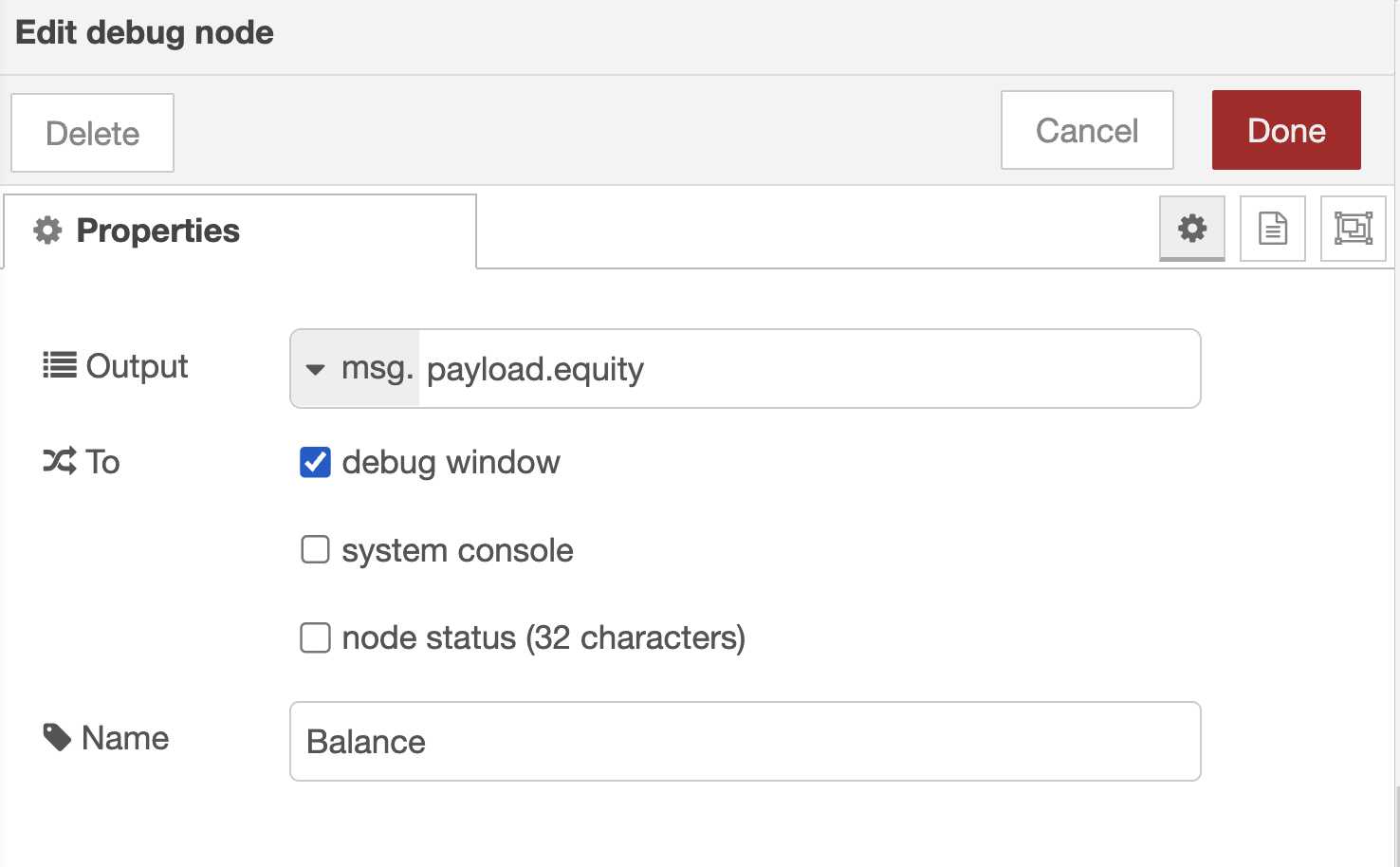
Gemini produced a functioning Node Red flow just exactly as we requested completed with a starting inject node name Trigger, a function node called "Set Headers" that retrieves the stored API keys, an http request node "Alpaca API" that passess the request to Alpaca's API, and finally a debug node called "Balance" that displays the account balance in the debut panel on the right side panel.
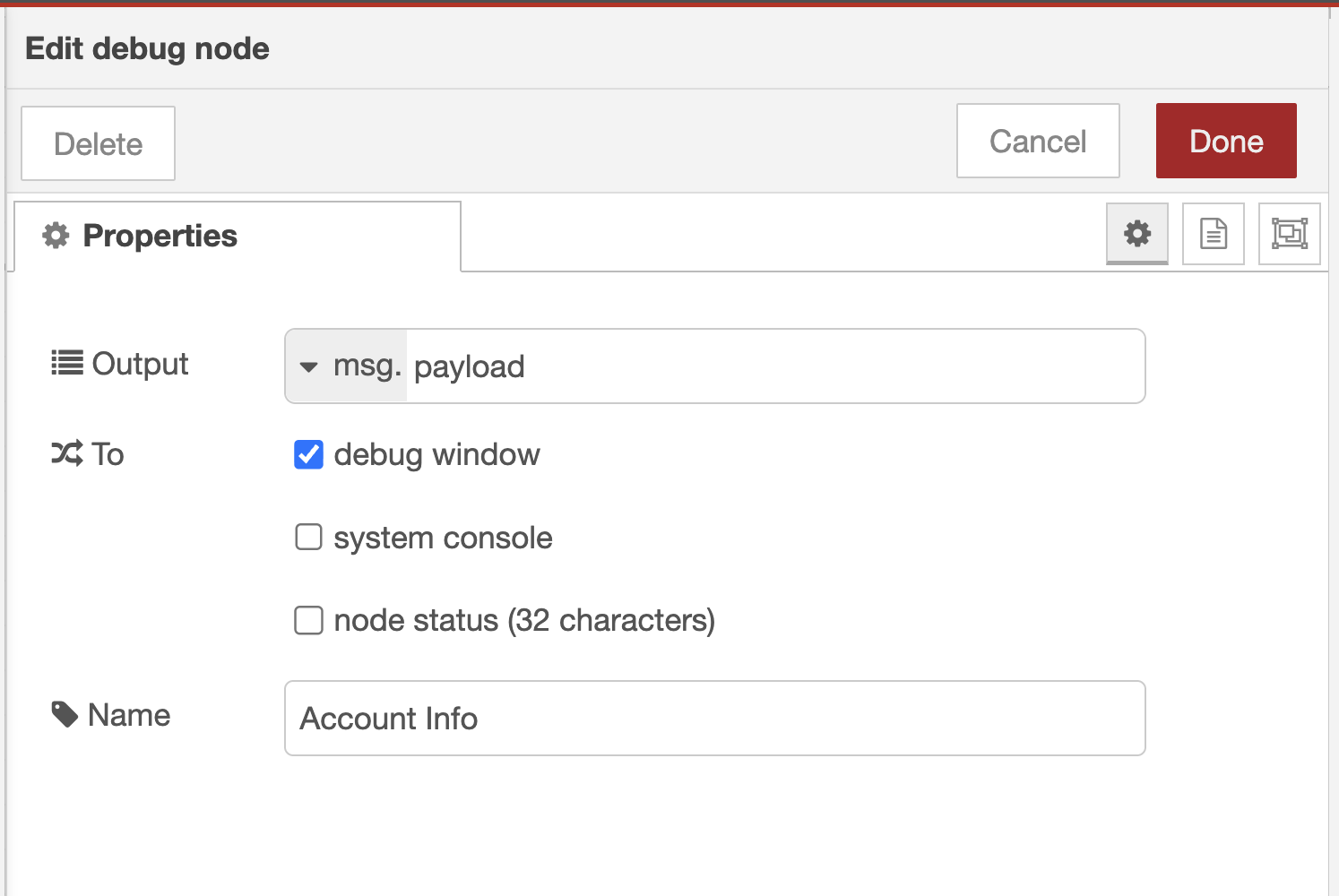
However, we might want to see all of the account information; not just the balance. To do that, we can copy the debug node, made a simple edit requesting ".equity" from the msg.payload so we get all of the account information and rename the node "account info."
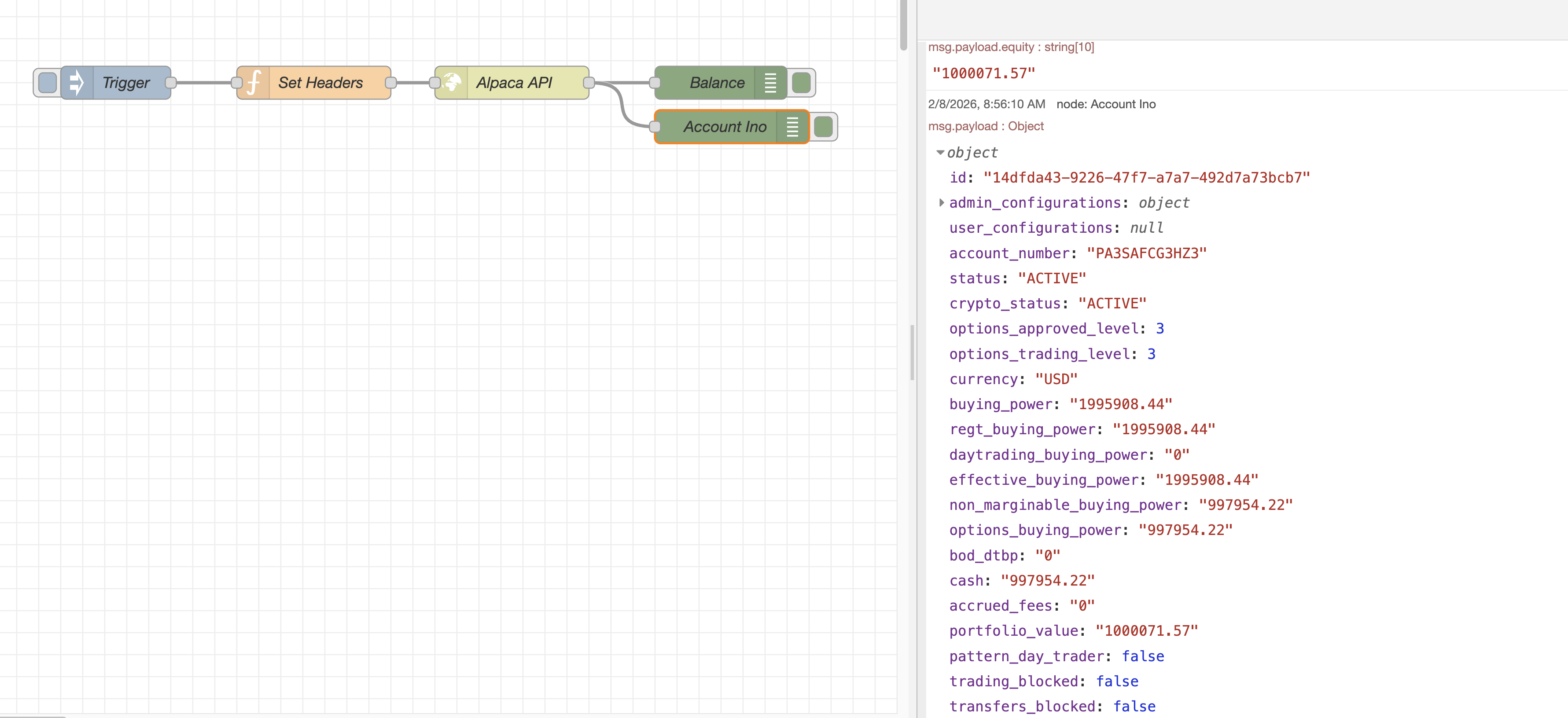
Once you trigger the flow, the Debug node will output your account details. The most common "balance" metrics in the response are:
Note: Ensure your global variables are actually set before running this, otherwise the headers will be undefined and Alpaca will return a 401 Unauthorized error.


